
Author: Mario Page 1 of 8

KuL news July ’26

The first half-year in our new space is over, and we can report positive results: 30 paid rentals per month! Well, if you include the free and discounted sessions, we average 26.3 “normalized” sessions per month—which is still above the expected average. In addition, we’ve continued to grow and now have 60 members.

Ebenso toll ist, dass das Nachfolgeprojekt zu unserer vergangenen Community-Kampagne “Arcanor” bald startet! Bereits ab Mitte August könnt ihr euch das Wiki der Kampagne “Blackrock” ansehen und euren Charakter erstellen. Am 27. August findet zudem ein Info-Anlass statt – und im September dann die ersten Sessions. Weitere Infos folgen, bei Fragen wendet euch an Daniel (@TheRobidog), Elia (@Senji_Elia) oder Nino (@capta1n_n3m0).

It’s also great news that the follow-up project to our previous community campaign “Arcanor”, is set to launch soon! Starting in mid-August, you’ll be able to check out the “Blackrock” campaign wiki and create your character. An info session will also take place on August 27 – and the first sessions will begin in September. More details to follow; if you have any questions, please contact Daniel (@TheRobidog), Elia (@Senji_Elia), or Nino (@capta1n_n3m0).

But first, it’s time for the summer break: There won’t be a “System of the Month” in July, and August’s schedule will be announced later. If you’d like to host something yourself, you’re of course still welcome to reach out.

Here’s what else has been happening:

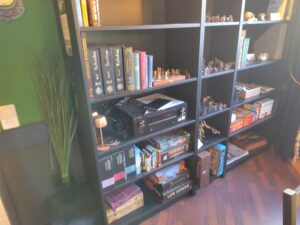
  • The library has been restocked with boxes of books and completely reorganized. In addition, there is now a list of all the rulebooks and adventures available at KuL.
    • And we now have the requested book-swap shelf: Just bring a book and take another one home. We hope you enjoy swapping books!
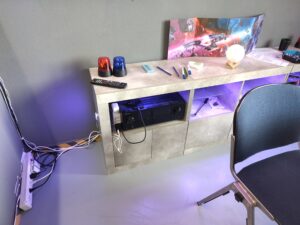
  • We’ve also replaced the lamps in the library with high-quality alternatives—they’re now working perfectly. So this is a good opportunity to take a look at the instructions for our lighting system.

Future Events

KuL-Quest: Starfinder
22.07. & 19.08. English TTRPG
Explore alien ruins in search of forgotten magic. Face off against corporate technomages and their robot armies in the grimy corridors of a space station. Attack a dragon-manned assault cruiser with your spaceship, defend a new colony from dangerous alien predators, or make first contact with a previously unknown alien empire.
Registration via SwissRPG

KuL summer party
8.8. Social
Exclusively for KuL members: Our annual summer party with a barbecue and lots of fun. For the first time, it’ll be held right at our venue! More details to follow.

Information session: Blackrock Campaign
27.8. Meeting
Information session on the DnD community campaign “Blackrock,” which starts in September.
Registration to follow

Picture: freepik

Guide to Ambient Lighting

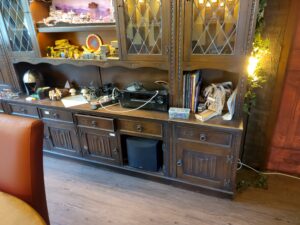
To create the perfect lighting atmosphere, all three game rooms at KuL are equipped with Philips Hue bulbs (some from third-party manufacturers as well). Of course, you can simply turn on the “regular” lights and play that way.

However, if you’re willing to put in the effort, you can create a great atmosphere with the right lighting: Are you planning a ghostly apparition at night and want it to be nice and dark? Does the scene call for a big fire and you want impressive flame effects? Should a dense jungle shimmer with the right shade of green? In this guide, I’ll show you everything you need to know.

If you’d like a personal introduction or on-site training, feel free to contact info@kul-verein.ch or @nevalor on Discord.

The Light Switch

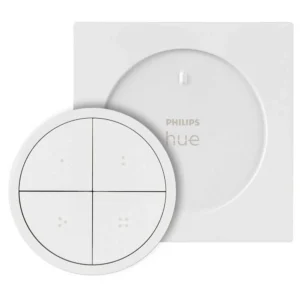
The light switch is located right next to the entrance of every room. The switch is magnetic and can therefore be picked up and placed back on the table.

Normal Lighting

Simply press the button with a dot(usually top left), and the light turns on. To turn it off, press any button for about 2 seconds. The outer ring can be used to dim the light.

Special Lighting Scenes

The buttons with two to four dots usually have a “Night”, “Fire”, and another scene saved to them, which you can activate with a single click. Turning the lights off and dimming them work exactly the same way. You can also assign other scenes—or your own custom scenes—to these buttons. To do this, however, you’ll need the tablets on-site:

Tablets/Control Devices

In every room, there is a tablet or smartphone (Note: operation is easier on the tablets) on top of the receiver—that is, the large music device. You may use this for all your purposes (controlling music, the digital hero’s journey, etc.), but most importantly, you can use it to control the lights. Please plug it back in at the end of your session!

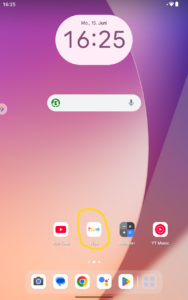
The lights are controlled via the Philips Hue app. So just unlock the tablet (no code needed) and open the app.

The App

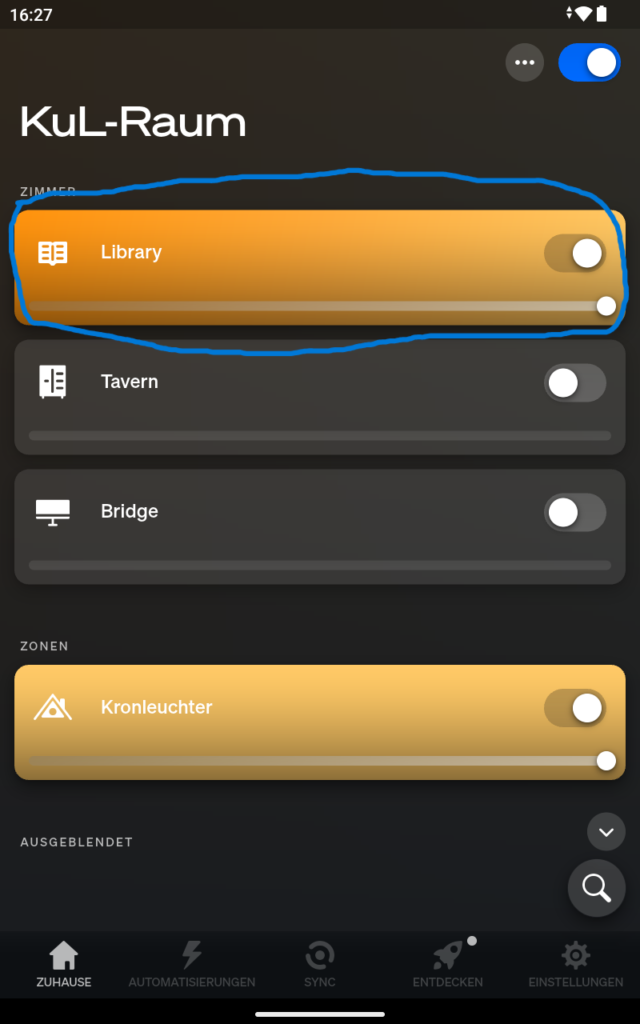
After opening the app, first select the room you want to use. As an example, I’ll use the Library (blue in Home).

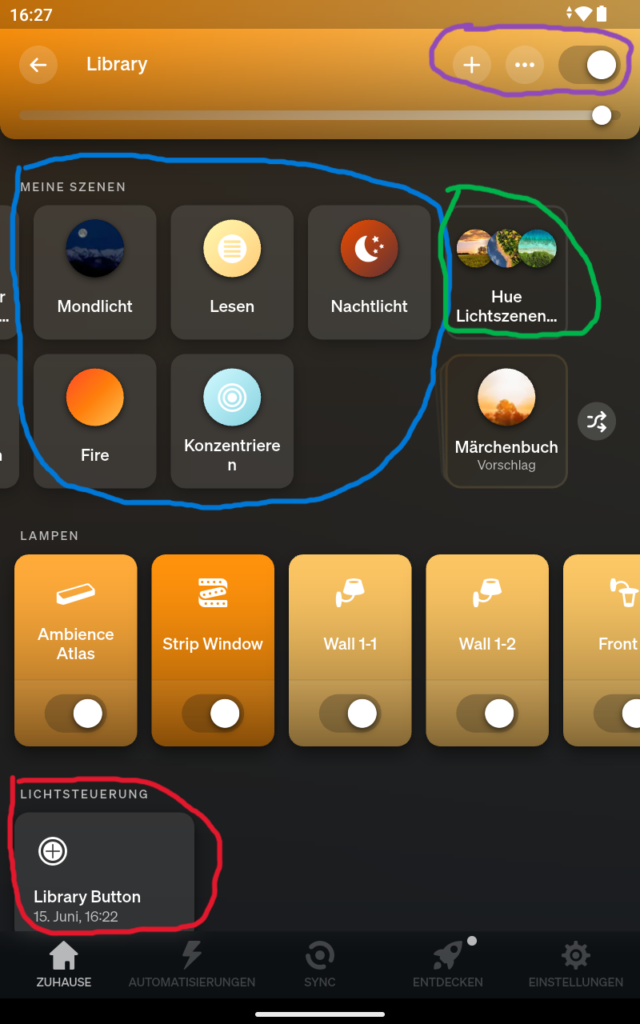
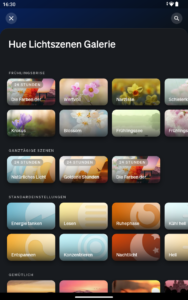
Here, you can easily select existing scenes (blue in Room Overview). Of course, you can also create your own scenes. The easiest method is to select a Hue light scene (green in Room Overview -> image on the right). Choose an image that matches the color scheme and save the scene.

You can also create scenes based on your own image or set them up completely manually. To do this, simply click the plus icon at the very top (purple in Room Overview). In this area, you can also turn the lights off or dim them.

Edit Scene & Effects

Once you’ve selected your scene (shown in blue in the room overview), a pencil icon will appear to the right of it, allowing you to customize the lights in detail.

  • Simply select the light you want to change at the bottom
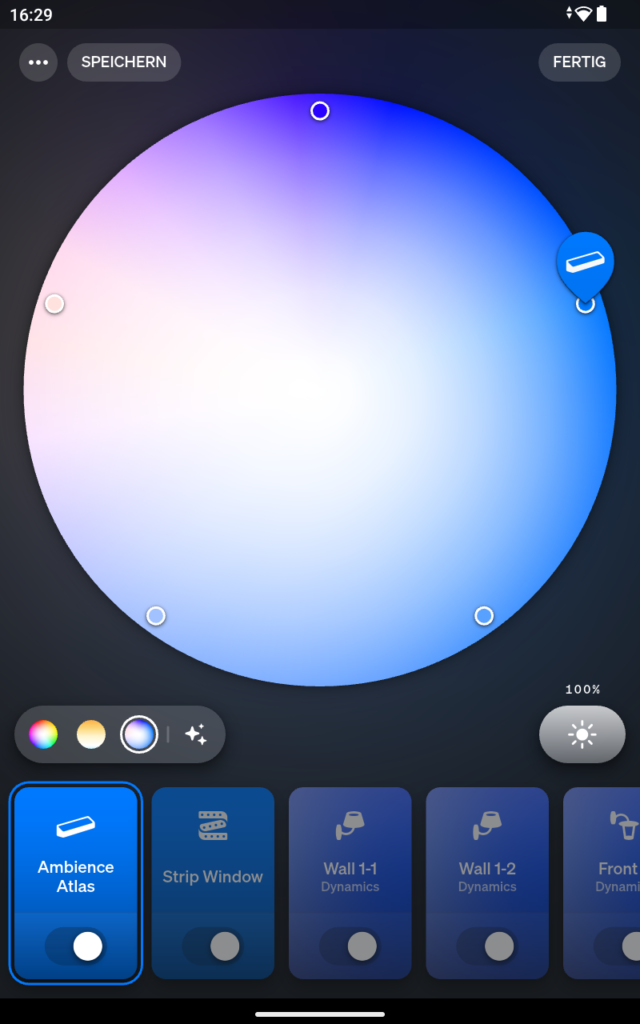
  • Just above that on the left, you can switch between different color ranges. In this example: “All Colors”, “White Tones” and “Blue Tones”
  • In the large circle, you can simply drag the lamp to the desired color
  • At the bottom right, you can adjust the lamp’s brightness
  • Then select Save in the top left!

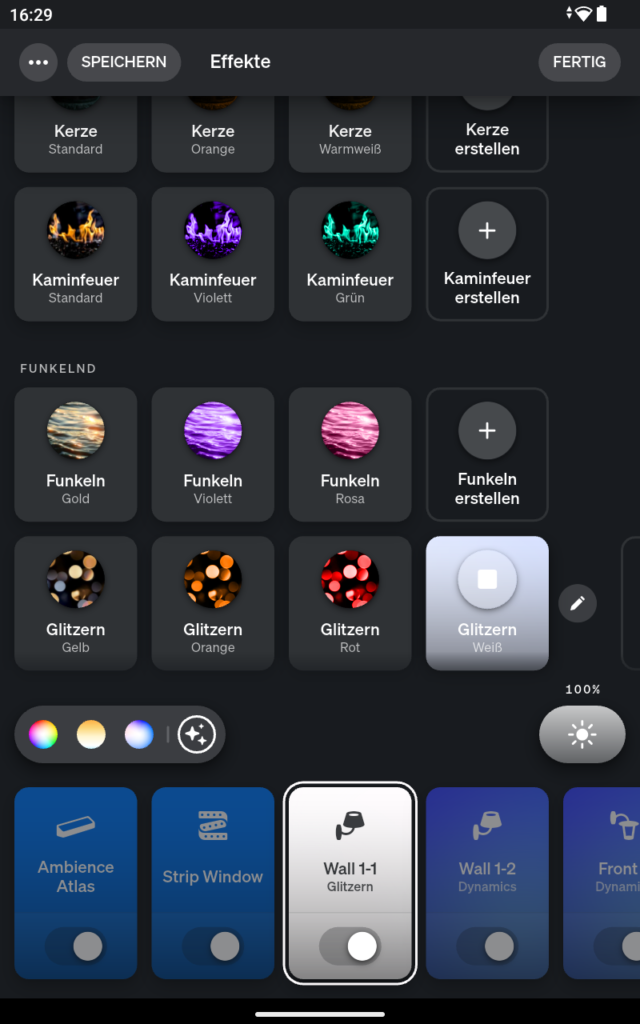
To set effects (e.g., candle flickering), tap the effects icon next to the color ranges. Here you’ll find many settings to choose from. These effects can also be edited by tapping the pencil icon next to them.

Customize Light Switch

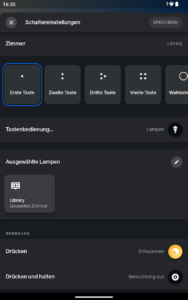
Scenes can be easily assigned to light switches. To do this, simply tap the “Library Button” in the app (red in the Room Overview) and select the desired button at the top.

At the bottom under “Press”, you can now specify which scene should appear. Finally, tap Save again. Note: Be sure to assign normal lighting back to the first button when you’re done.

Practical Example

When preparing for my sessions, I think about which lighting scenes I might need. I try to limit myself to three, since I can easily manage them using the light switch.

  • The characters are outdoors almost the entire time and are traveling in winter. This scene will make up 80% of the session.
    • I search through the saved scenes but don’t see anything suitable. However, in the Hue lighting scenes, I see “Winter Morning,” which is ideal. I save the scene.
  • They will be camping in the wilderness, and an ambush could occur at night.
    • There’s already something ideal in the saved scenes.
  • The finale is a battle during a snowstorm. I want this to make an impression, so I create my own scene.
    • In the Hue light scenes, I look for something with a lot of white and a little blue. After saving it, I edit the scene and add effects like “Glitter”. The selected scene also has changing colors, which I adjust as quickly as possible. This is meant to create some movement and unrest.

I now save these scenes to buttons 2–4 on the light switch—the first button remains set to normal light. I keep the switch with me, so I can easily switch scenes without having to think too much about it during the game.

Kul-News March ’26

The first meeting in 2026 went smoothly—no reports of our rooms being renovated or a mass exodus of members =) That’s why there’s only a little news to report:

  • Our finances are looking very good, as we have around 30% more room rentals than budgeted! Thank you for your continued loyalty and nerdiness =)
  • There were a few new decorative elements, but most importantly, a new table for the library! Finally, there is space for your drinks, battle maps, character sheets, snacks, GM screens, minis, dice penalty zone, and much more.
  • There’s something brewing with Project Blackrock, and you should get more info at the end of April – stay tuned! In any case, we’ve already increased the limit for free games to 12.
  • And last but not least: We’re planning to offer great new merch again in 2026 😉

Upcoming Events

KuL-Quest: Mothership
10., 18. & 24.3. English PnP
The science fiction horror role-playing game is extremely deadly and uses an intuitive W100 system. It’s not about being a hero, but about surviving the next disaster long enough to maybe reach a shore leave.
Signup via Discord

KuL-Quest: Pathfinder Society
11.3. & 8.4. German PnP
Take on the role of an agent of the Pathfinder Society, a legendary league of adventure seekers who explore the world, recover artifacts from times past, uncover secrets, and make new friends beyond the horizon.
Signup via SwissRPG

KuL-Quest: Starfinder Society
18.3. & 22.4. English PnP
A worldwide science fantasy campaign that puts you in the role of an agent of the Starfinder Society. The Society is a group of explorers who travel out into the galaxy in search of lost knowledge and technologies.
Signup via SwissRPG

KuL-Quest: DnD Introgame
23. & 27.3. German/English PnP
Our addition to the “Gratisrollenspieltage”: Welcome to your first day at the Couriers and Messengers Guild! Stationed at the bustling guild hall, you’ll sort parcels, make deliveries, and keep the mail moving.
Signup via Discord

KuL Paint & Prep
26.3. & 30.4. Social
KuL Paint & Prep is a creative evening for game masters and players to paint miniatures, build terrain, and prepare adventures and/or characters together. Bring your own project or help paint the miniatures on site.
Signup via Discord

KuL Social
2.4. Social
We will meet again to chat, play games, and admire rooms.

KuL-Quest: Outgunned Adventure
5. & 6.4. or 2., 10. & 25.4. English PnP
“Learning together with others” is entering its second round, and this time you should remember to pack your parkas and signal pistols: Professor Wieloch has discovered a trail that goes far beyond the history books.
Signup via Discord

KuL-News January ’26

A new year is dawning, and with it some changes that we decided on at the general meeting on January 7. The complete minutes can be found below. Here is a summary of the most important news:

  • While our new DnD community campaign, codenamed “Blackrock,” is still a little way off, we can look forward to welcoming the Starfinder Society in January! Just like the Pathfinder Society, an official adventure from the global campaign will be played every month.
  • We now offer the following types of membership:
    • Standard membership (CHF 100)
    • Patron membership (CHF 200)
    • Solidarity membership (CHF 60)
    • Would you like to become a patron or are you dependent on the lower membership fee? Then please get in touch with us.
  • Did you miss your chance to get your hands on a KuL shirt? Don’t worry: you can now order everything from T-shirts to aprons from our merchandise shop: kul-verein.ch/merchandise

Future events

SotM January: Green Oaks
15. & 27.1. English PnP
Each player takes on the role of an Elder living in Green Oaks, a charming, greenery surrounded structure. Rumors swirl that great treasures are hidden in its basement.
Registration via Discord, Full

KuL-Play: Terraforming Mars
19.1. Boardgame
Terraforming Mars is a strategic board game where players control corporations to transform Mars into a habitable planet.
Registration via Discord, Full, possibly additional sessions

KuL-Quest: Starfinder Society
21.1. & 18.2. English PnP
A worldwide science fantasy campaign that puts you in the role of an agent of the Starfinder Society. The Society is a group of explorers who travel out into the galaxy in search of lost knowledge and technologies.
Registration via SwissRPG

KuL Paint & Prep
29.1. & 26.2. Social
KuL Paint & Prep is a creative evening for game masters and players to paint miniatures, build terrain, and prepare adventures and/or characters together. Bring your own project or help paint the miniatures on site.
Registration via Discord

KuL-Quest: Technoir
3., 11., 17. & 25.2. English PnP
High-tech, hard-boiled roleplaying. Playing it safe isn’t working anymore; you’re not going to get out of this clean. You have illicit tech and the talent to use it. Time to go shake the city and see what falls out.
Registration via Discord

KuL Social
4.2. Social
In February, we will meet again to chat, play games, and admire rooms.

KuL-Quest: Pathfinder Society
11.2. German PnP
Take on the role of an agent of the Pathfinder Society, a legendary league of adventure seekers who explore the world, recover artifacts from times past, uncover secrets, and make new friends beyond the horizon.
Anmeldung via SwissRPG

SotM February: Nimble 2e
22. & 26.2. English PnP
A fast-paced, tactical, and fully 5e-compatible TTRPG designed for groups who consider cumbersome and complicated rules a waste of time. It combines the best elements of the most popular role-playing games to finally eliminate the problem of endless battles.
Registration via Discord

KuL-News November

You have probably all heard by now that we have successfully moved. I won’t repeat myself here and will simply refer you to the construction reports and the successful crowdfunding campaign. Instead, let’s get straight to the news from yesterday’s meeting:

  • Members can now book the Sci-Fi Bridge for CHF 20 for short sessions (such as Session 0 or board games).
  • Furthermore, all rooms can be booked by members on weekdays until 5:00 p.m. (i.e., during off-peak hours) for CHF 20.
  • There will be a successor to our Arcanor community campaign! Project Blackrock is being organized by Daniel, Elia, and Nino and is expected to be announced in December. We are looking forward to having another free DnD campaign soon.
  • The third quarter financial results also look good. Due to the unexpectedly higher rent, more expenses for rent deposits, etc., things will be a little tighter at the end of the year despite your overwhelming donations. However, all signs are good for next year, with steadily growing membership numbers and room rentals.
  • Small stuff: If you see a large table (at least 110 cm wide) that would fit in the library, please let us know! We also ask you to label your compartment with GM material in the room.

Future events

Open Day
8.11. Social
Come by, catch up with familiar faces, meet new people, and discover potential fellow players. It’s a great opportunity for the Bern RPG community to come together again.

System of the Month November: Draw Steel!
11. & 19.11. English PnP
A new game for a new age! Draw Steel is the breathtaking new, action-oriented, fantasy RPG from MCDM that’s both fun to play and fun to run!
Anmeldung via Discord, Ausgebucht

KuL Paint & Prep
27.11. Social
KuL Paint & Prep is a creative evening for game masters and players to paint miniatures, build terrain, and prepare adventures and/or characters together. Bring your own project or help paint the miniatures on site.
Signup via Discord

KuL-Social: Christmas Special
6.12. Social
Enjoy a cozy evening with winter games, snacks, and good company. Whether you want to meet Santa Claus or just relax, it’s sure to be a festive occasion!
Signup via Discord

KuL-Quests: Hogswatch at the Snyder-Manson
12.12. Englisch PnP
In keeping with the Christmas season, we are offering you the one-shot “Hogswatch at the Snyder Estate” from Terry Pratchett’s Discworld RPG “Adventures in Ankh-Morpork.” The game system is heavily narrative-focused. There are few rules, but plenty of room for inventing, asserting, and discussing!
Signup via Discord, fully booked

KuL-Play: Catan with Santa Claus mini expansion
16.12. Boardgame
Signup via Discord

Page 1 of 8

Katakomben & Lindwürmer & 2026